InputConfig
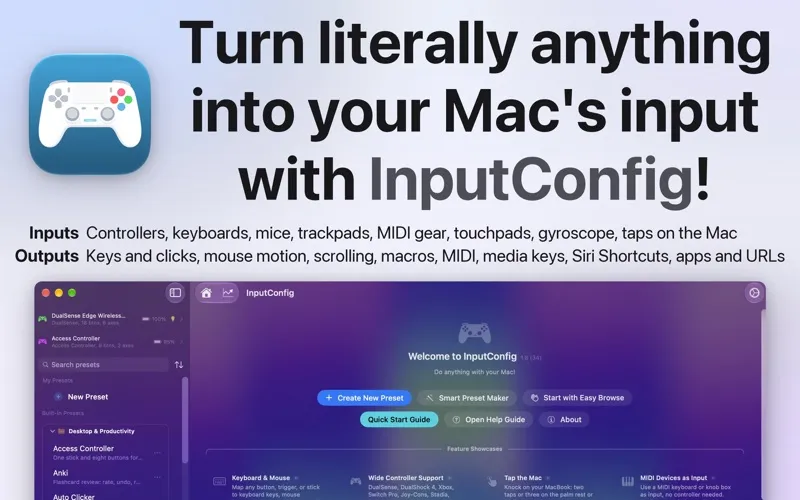
With InputConfig, you can control your Mac using a game controller, MIDI gear, or adapted inputs, especially when a keyboard and mouse are difficult to use.
by Ryleigh Newman
What you get
You can run your Mac with controls that suit your hands.
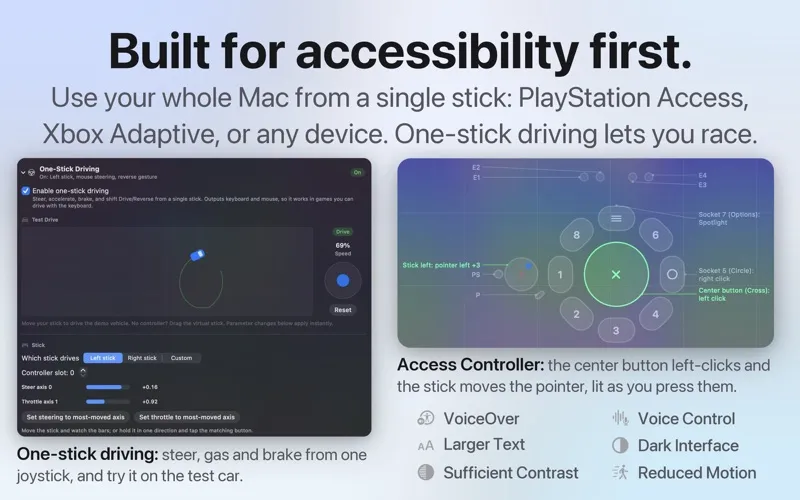
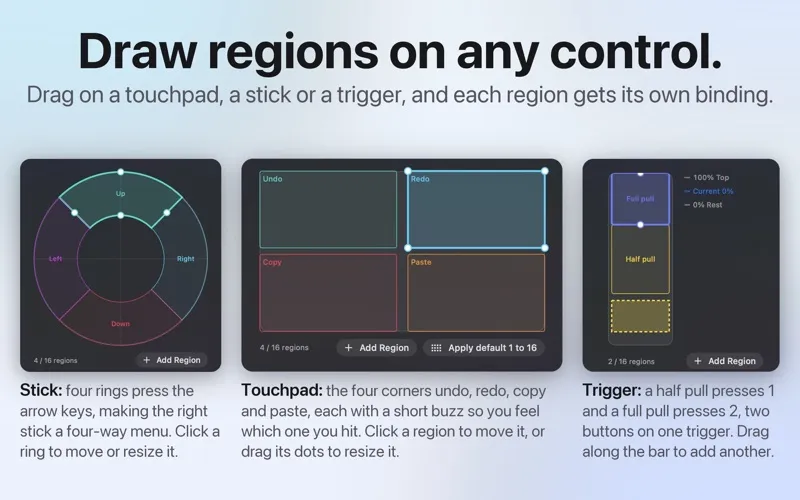
InputConfig gives you alternatives to a standard keyboard and mouse. You can use a gamepad, MIDI pads, adaptive controller, switches, or pedals to move the pointer, type keys, and operate your apps. If certain movements are difficult, you can adjust stick sensitivity and trigger thresholds to suit your reach.
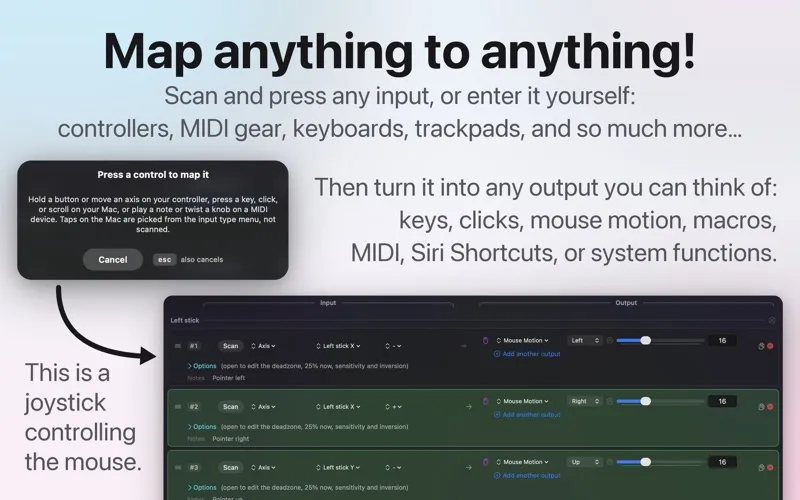
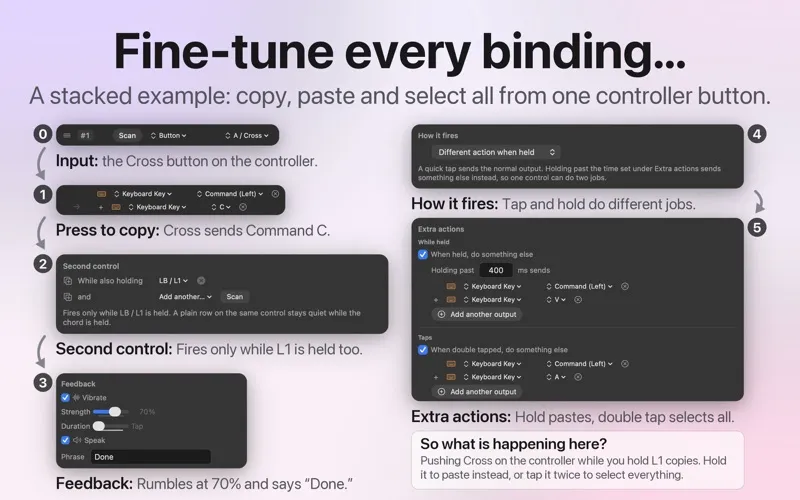
You can turn one button into different actions with a press, hold, or double tap. Open an app, run a Shortcut, start Dictation, or trigger a timed sequence without reaching for the keyboard. For music work, you can send MIDI notes and controls to your DAW; for everyday use, you can assign volume, playback, and screen brightness to physical controls.
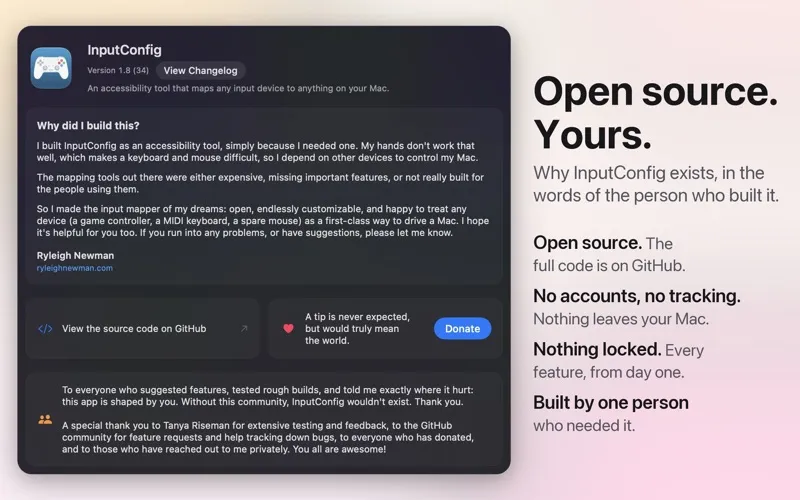
Your mappings work across apps, and presets can switch automatically when you change apps. You can stop all active outputs with an emergency shortcut. Your setup stays on your Mac, without an account or telemetry.
-
Use more comfortable controls
You can replace keyboard and mouse actions with controls on a gamepad, MIDI device, or adaptive controller.
-
Do more with fewer buttons
You can assign separate actions to a press, hold, and double tap, or run several outputs from one press.
-
Match your range of motion
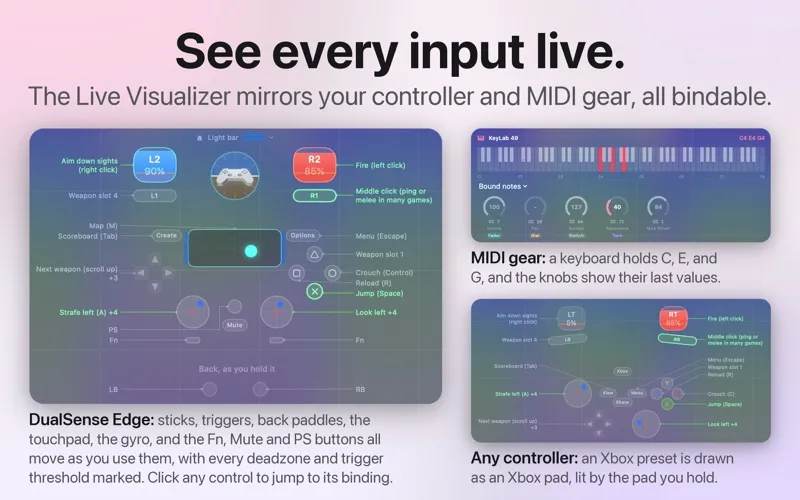
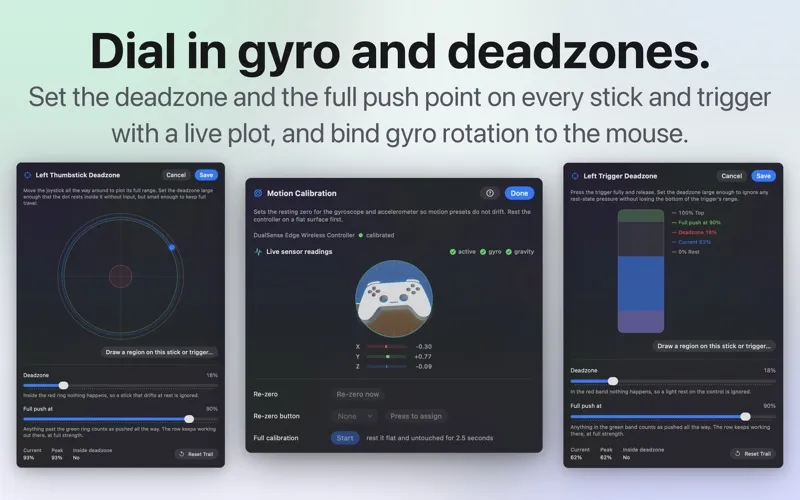
You can adjust sensitivity, deadzones, and trigger thresholds so controls respond within your comfortable reach.
-
Keep controls app-specific
You can have the appropriate preset activate when you switch apps, rather than changing mappings manually.
-
Control your music software
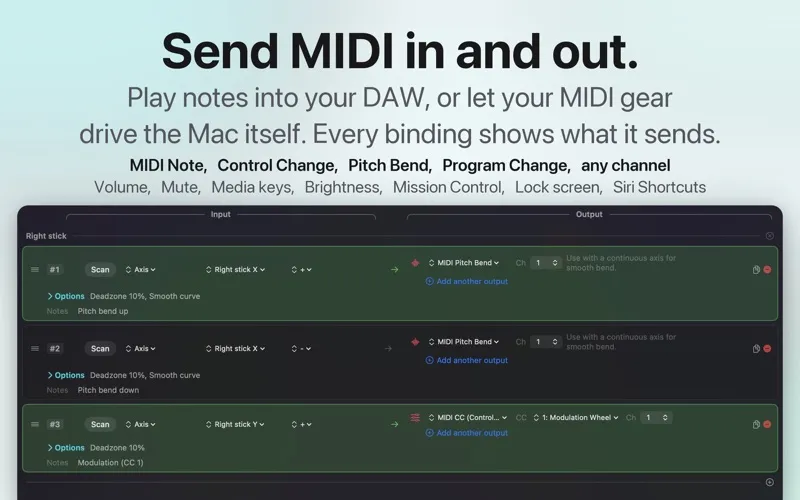
You can send MIDI notes, controller changes, and transport commands to your DAW using your mapped inputs.
Best for
- You need alternatives to keyboard and mouse input
- You want custom controller mappings for games
- You want physical controls for music and creative apps
Skip it if
You probably don't need it if your keyboard, mouse, and existing app shortcuts already cover how you want to control your Mac.
Screenshots
From the developer
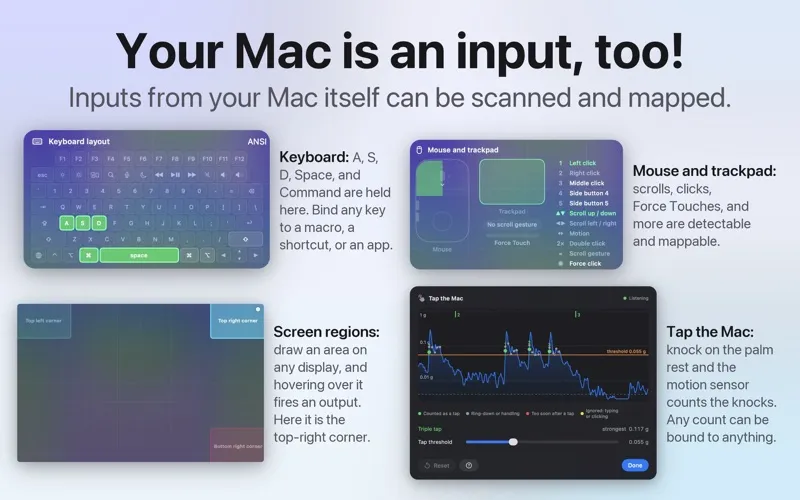
InputConfig is a controller, MIDI, and key mapper for Mac, created for accessibility. Any input in, any output out: turn a game controller, MIDI keyboard, mouse, trackpad, or a tap on your MacBook into keys, mouse control, MIDI, shortcuts, system functions, and accessibility actions.Read the full description
Alternatives to InputConfig
Other apps to automate with shortcuts & gestures. See all
 BetterTouchTool
Save time with custom actions
Setapp
98% · 3,322 ratings
BetterTouchTool
Save time with custom actions
Setapp
98% · 3,322 ratings
 PopClip
Use instant text actions
Setapp
98% · 1,359 ratings
PopClip
Use instant text actions
Setapp
98% · 1,359 ratings
 KeyCue
Work faster with shortcuts
Setapp
90% · 164 ratings
KeyCue
Work faster with shortcuts
Setapp
90% · 164 ratings
 Paletro
Access app menu commands
Setapp
98% · 474 ratings
Paletro
Access app menu commands
Setapp
98% · 474 ratings
 Keysmith
Create a shortcut for any action
Setapp
95% · 491 ratings
Keysmith
Create a shortcut for any action
Setapp
95% · 491 ratings
 iBoysoft MagicMenu
Expand your Mac’s right click
Setapp
88% · 422 ratings
iBoysoft MagicMenu
Expand your Mac’s right click
Setapp
88% · 422 ratings