QR Capture
With QR Capture, you can read QR codes on your Mac from your screen, clipboard, files, or camera. It suits you if you want straightforward scanning, even as a computer beginner.
by Marek Hrušovský
What you get
You can open and save QR code contents directly on your Mac.
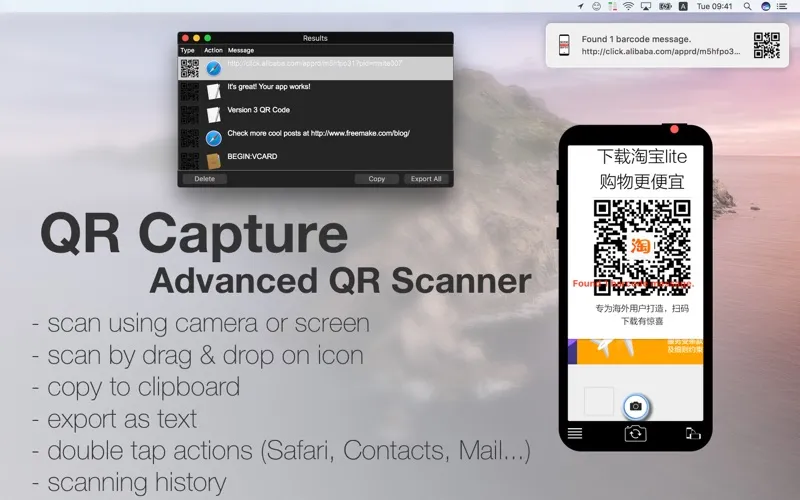
You can turn QR codes into usable links and text without typing out their contents. Scan a code anywhere on your screen, select an area with Command+1, or drag an image file onto the app icon. You can also read codes from your clipboard and scan other 2D barcodes from the screen, clipboard, or files.
Once you’ve scanned a code, you can double-click the result to open it in the corresponding app, such as Safari, Contacts, or Mail. You can have results copied automatically, revisit successfully scanned text saved in a local database, and export your scans as CSV text.
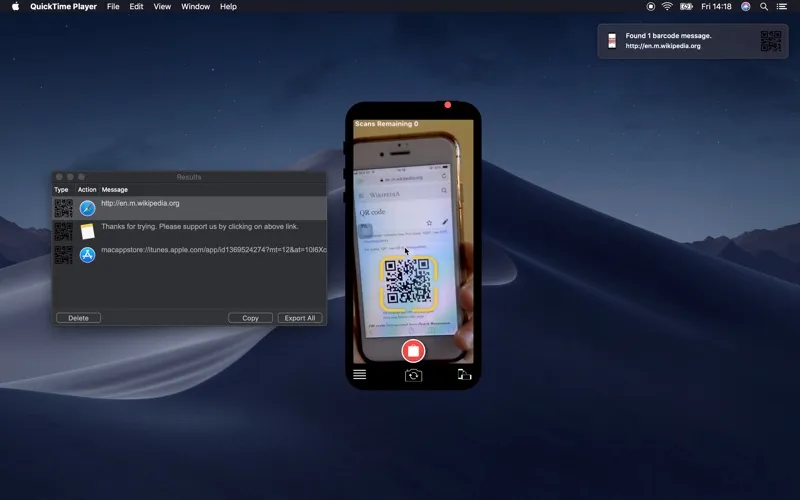
For codes on paper or another device, you can use a webcam or compatible iPhone camera setup. Camera scanning has a seven-code limit, removable through an in-app purchase; good lighting and a sharp image help you get readable results.
-
Read codes already on screen
You can scan a selected area with Command+1 instead of reaching for your phone.
-
Use the contents immediately
You can open scanned results in the corresponding app or copy them automatically for pasting elsewhere.
-
Keep your scanned results
You can revisit successfully scanned text locally and export your scans as CSV text.
-
Read physical QR codes
You can bring codes from paper into your Mac using a webcam or compatible iPhone camera setup.
Best for
- You encounter QR codes in screenshots, files, or websites.
- You’re a computer beginner who wants straightforward QR scanning.
- You need a saved record of scanned code contents.
Skip it if
You don’t need this if scanning occasional QR codes with your phone already covers your needs.
Screenshots
From the developer
The most simple & easy QR Reader. Capture QR codes just like you would on a phone. Perfect for computer beginners. Works with iPhone & webcams (EpocCam...).Read the full description
Alternatives to QR Capture
Other apps to automate with shortcuts & gestures. See all
 BetterTouchTool
Save time with custom actions
Setapp
98% · 3,322 ratings
BetterTouchTool
Save time with custom actions
Setapp
98% · 3,322 ratings
 PopClip
Use instant text actions
Setapp
98% · 1,359 ratings
PopClip
Use instant text actions
Setapp
98% · 1,359 ratings
 KeyCue
Work faster with shortcuts
Setapp
90% · 164 ratings
KeyCue
Work faster with shortcuts
Setapp
90% · 164 ratings
 Paletro
Access app menu commands
Setapp
98% · 474 ratings
Paletro
Access app menu commands
Setapp
98% · 474 ratings
 Keysmith
Create a shortcut for any action
Setapp
95% · 491 ratings
Keysmith
Create a shortcut for any action
Setapp
95% · 491 ratings
 iBoysoft MagicMenu
Expand your Mac’s right click
Setapp
88% · 422 ratings
iBoysoft MagicMenu
Expand your Mac’s right click
Setapp
88% · 422 ratings