
WinShortcutter
WinShortcutter lets you open Windows shortcuts on your Mac, with a Safari extension for opening file links from websites. It suits you if your work involves Windows-created shortcuts.
by TECH-ARROW
What you get
Open Windows shortcuts and website file links on your Mac.
WinShortcutter gives you a way to open Microsoft Windows shortcut files (.lnk) on your Mac. If you encounter these shortcuts in your work, you can use them to reach the files they point to rather than treating them as unusable Windows-only items.
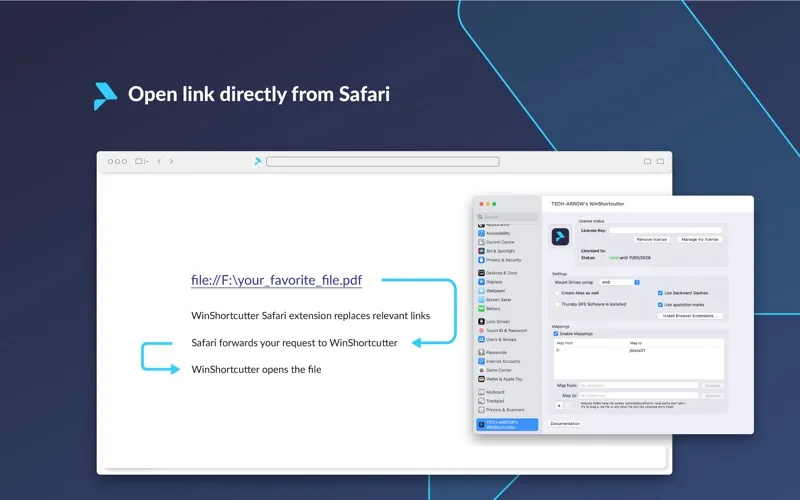
With its Safari extension, you can also open files through links on websites. The extension adapts links that use the file:// protocol so that clicking one sends the opening request to WinShortcutter. You get a route from the link on the page to the app that handles it.
For this browser functionality, you need WinShortcutter version 5.0 or later installed on your Mac; the Safari extension does not replace the main app.
-
Use Windows shortcuts
You can open `.lnk` files on your Mac to reach the files they reference.
-
Open files from Safari
You can click website links using `file://` and have WinShortcutter handle the file opening.
-
Keep using existing links
You can follow Windows shortcuts and supported website file links instead of locating their targets manually.
Best for
- You regularly encounter Windows `.lnk` files on your Mac
- You use Safari websites that link to files through `file://`
Skip it if
You do not need it if you never encounter Windows shortcuts or website links that use `file://`.
Screenshots
From the developer
TECH-ARROW's WinShortcutter is a product which allows opening Microsoft Windows shortcuts (.lnk files) on MAC OS. This Safari add-on extends this functionality by modifying the file links (using the file:// protocol) found on a website to point to WinShortcutters special protocol handler.Read the full description
Alternatives to WinShortcutter
Other apps to access files faster. See all
 Yoink
Improve drag and drop
Setapp
99% · 1,957 ratings
Yoink
Improve drag and drop
Setapp
99% · 1,957 ratings
 Default Folder X
Access recent and favorite files
Setapp
97% · 1,202 ratings
Default Folder X
Access recent and favorite files
Setapp
97% · 1,202 ratings
 Dropzone
Complete everyday tasks faster
Setapp
99% · 1,201 ratings
Dropzone
Complete everyday tasks faster
Setapp
99% · 1,201 ratings
 Filepane
Do more with drag-and-drop
Setapp
100% · 43 ratings
Filepane
Do more with drag-and-drop
Setapp
100% · 43 ratings
 Trickster
Quickly access recent files
Setapp
96% · 180 ratings
Trickster
Quickly access recent files
Setapp
96% · 180 ratings
 FilePop
Your files, one keystroke away
Sold separately
FilePop
Your files, one keystroke away
Sold separately